
# Cesium 全局特效(二)
# Cesium 全局特效:水淹效果(流动材质和动态水淹)
2024/01/01 15:41:20
# 说明
目前实现的全屏 Cesium 水淹场景渲染如下:
- 流动水面材质:全球范围水淹和自定义区域水淹;
- 动态淹没:自定义区域水淹
流动水面材质为什么不能动态实现淹没呢?原因很简单,电脑性能顶不住(每次变化都要重新清除后渲染,我顶配的电脑都顶不住啊),而且效果真的很一般(效果差我猜测是因为瓦片图不是一次性加载,优先加载的是顶层瓦片,而较为顶层瓦片的地形高度应该不准确,所以就算水淹全球,在地球都在窗口内时除了喜马拉雅山脉其他地方都是被淹没的效果,除非你拉到比较靠近地面,否则高度很不准确)
# 先上效果图
主要有两种,这里的图片用的是网上的,因为我不好去录制并转化gif,我下面的代码实现的效果会好一点
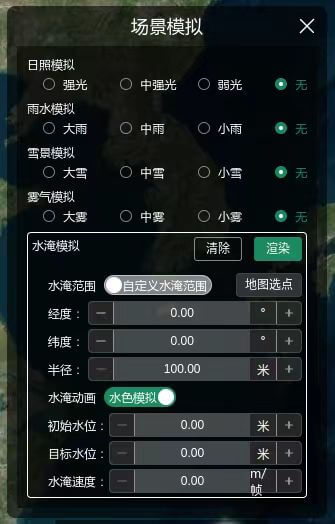
图片1:UI 界面
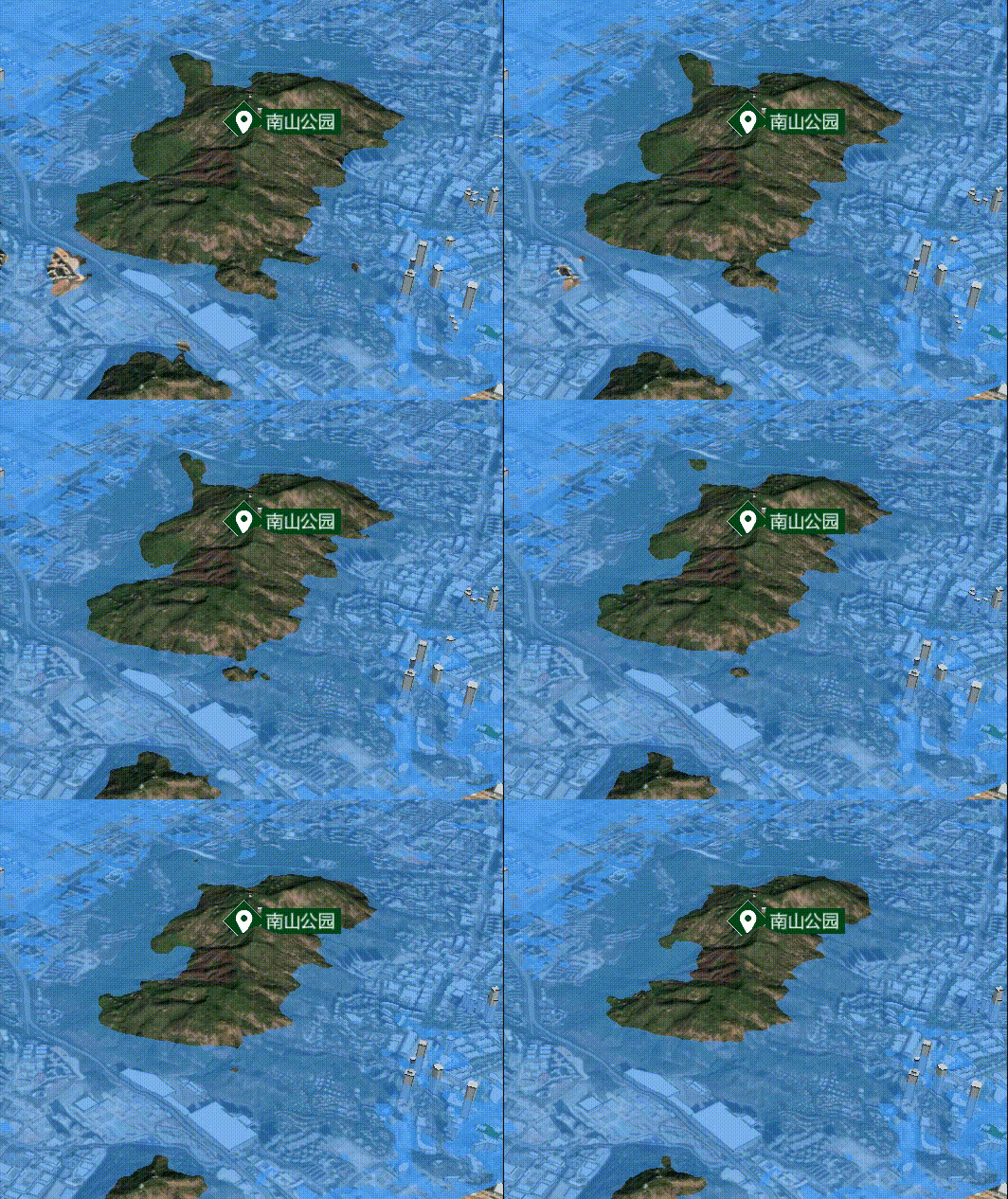
图片2:动态淹没
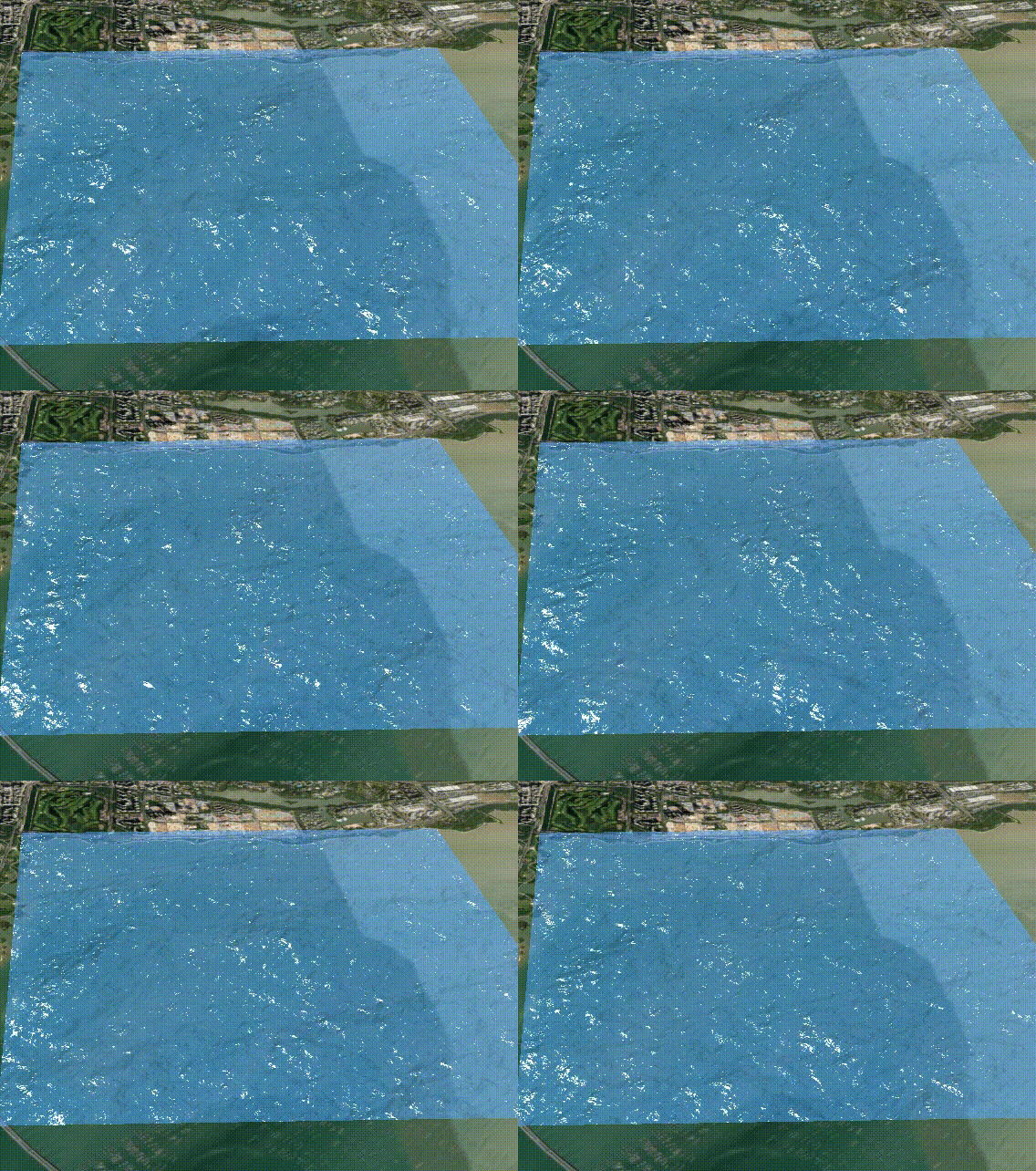
图片3:流动水面
# 公共的实现代码
import type { Viewer } from 'cesium'
import {
    CallbackProperty, Cartesian3, Color, CylinderGeometry, EllipsoidSurfaceAppearance, GeometryInstance, Material,
    Primitive, Rectangle, RectangleGeometry, Transforms,
} from 'cesium'

const SCENE_SIM_OTHER: { [key: string]: any } = {
    FLOOD: { name: '水淹模拟', key: 'FLOOD' },
}

// 水淹参数接口
interface FloodIF {
    height: number
    isGlobe: boolean // 是否全球范围水淹
    animate: boolean // 是否采用动画形式
    center: Position
    radius: number
    targetHeight: number
    speed: number
}

/**
 * 淹没分析函数,通过拉伸面的高度来进行分析
 * @param {*} viewer
 * @param {*} targetWaterHeight :目标水位高度
 * @param {*} positions :研究区域底部坐标数组
 * @param {*} waterHeight :当前水位高度
 */
export function induationAnalysis(viewer: Viewer, flood: FloodIF) {
    // 如果要实时更新水位高度用entity,primitives无法动态更新
    if (flood.animate) {
        let height = flood.height
        // 颜色模拟的水面效果
        const heightCallback = new CallbackProperty(() => {
            height += flood.speed
            if (height > flood.targetHeight)
                height = flood.targetHeight

            return height
        }, false)

        let entity
        if (flood.isGlobe)
            entity = viewer.entities.add({
                id: SCENE_SIM_OTHER.FLOOD.key,
                name: SCENE_SIM_OTHER.FLOOD.key,
                rectangle: {
                    coordinates: Rectangle.fromDegrees(-180.0, -90.0, 180.0, 90.0),
                    height: heightCallback,
                    material: Color.fromBytes(64, 157, 253, 150),
                },
            })

        else
            entity = viewer.entities.add({
                id: SCENE_SIM_OTHER.FLOOD.key,
                name: SCENE_SIM_OTHER.FLOOD.key,
                position: Cartesian3.fromDegrees(flood.center.lon, flood.center.lat),
                cylinder: {
                    length: heightCallback,
                    topRadius: flood.radius,
                    bottomRadius: flood.radius,
                    slices: 20, // 切片数,影响圆柱体的细节
                    material: Color.fromBytes(64, 157, 253, 150),
                },
            })

        return entity
    }
    else {
        let geometryInstances: GeometryInstance
        if (flood.isGlobe)
            geometryInstances = new GeometryInstance({
                geometry: new RectangleGeometry({
                    rectangle: Rectangle.fromDegrees(-180.0, -90.0, 180.0, 90.0),
                    extrudedHeight: flood.height,
                    vertexFormat: EllipsoidSurfaceAppearance.VERTEX_FORMAT,
                }),
            })

        else
            geometryInstances = new GeometryInstance({
                geometry: new CylinderGeometry({
                    length: flood.height, // 高度
                    topRadius: flood.radius, // 顶部半径
                    bottomRadius: flood.radius, // 底部半径
                    slices: 20, // 切片数,影响圆柱体的细节
                    vertexFormat: EllipsoidSurfaceAppearance.VERTEX_FORMAT,
                }),
                modelMatrix: Transforms.eastNorthUpToFixedFrame(Cartesian3.fromDegrees(flood.center.lon, flood.center.lat)), // 设置圆柱体位置
            })

        // 流动水面效果
        const polygonPrimitive = viewer?.scene.primitives.add(
            new Primitive({
                geometryInstances,
                appearance: new EllipsoidSurfaceAppearance({
                    aboveGround: false,
                    material: new Material({
                        fabric: {
                            type: 'Water',
                            uniforms: {
                                baseWaterColor: Color.fromBytes(64, 157, 253, 150),
                                normalMap: 'cesium/waterNormals.jpg',
                                frequency: 1000.0,
                                animationSpeed: 0.1,
                                amplitude: 10,
                                specularIntensity: 10,
                            },
                        },
                    }),
                }),
            }),
        )

        return polygonPrimitive // 利用这个清除水淹效果
    }
}
1
2
3
4
5
6
7
8
9
10
11
12
13
14
15
16
17
18
19
20
21
22
23
24
25
26
27
28
29
30
31
32
33
34
35
36
37
38
39
40
41
42
43
44
45
46
47
48
49
50
51
52
53
54
55
56
57
58
59
60
61
62
63
64
65
66
67
68
69
70
71
72
73
74
75
76
77
78
79
80
81
82
83
84
85
86
87
88
89
90
91
92
93
94
95
96
97
98
99
100
101
102
103
104
105
106
107
108
109
110
111
112
113
114
115
116
117
118
2
3
4
5
6
7
8
9
10
11
12
13
14
15
16
17
18
19
20
21
22
23
24
25
26
27
28
29
30
31
32
33
34
35
36
37
38
39
40
41
42
43
44
45
46
47
48
49
50
51
52
53
54
55
56
57
58
59
60
61
62
63
64
65
66
67
68
69
70
71
72
73
74
75
76
77
78
79
80
81
82
83
84
85
86
87
88
89
90
91
92
93
94
95
96
97
98
99
100
101
102
103
104
105
106
107
108
109
110
111
112
113
114
115
116
117
118
# 流动水淹材质来源于官网的贴图

cesium 官网水贴图 waterNormals.jpg
# 清除水淹效果
// 清除流动水淹
viewer.scene.primitives.remove(polygonPrimitive)
// 清除动态水淹
viewer.entities.remove(entity)
1
2
3
4
2
3
4